This guide takes you through the steps to make bookings possible in a timeslot on a room/resource that normally contains a timetabled class. This might be, for example, to allow you to free up a room/resource if you have a class that is away for the day.
Note: If you sync your data from a school management system we would recommend that, where possible, you free up a room by entering a Suspension Rule or Cover/Closure, rather than entering a timetable exception.
How to add a Timetable Exception
- From the Administrator Homepage select Timetable > Timetable Exceptions and enter the date the exception is for in the Date field under Add New Exception..
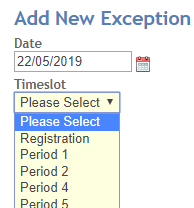
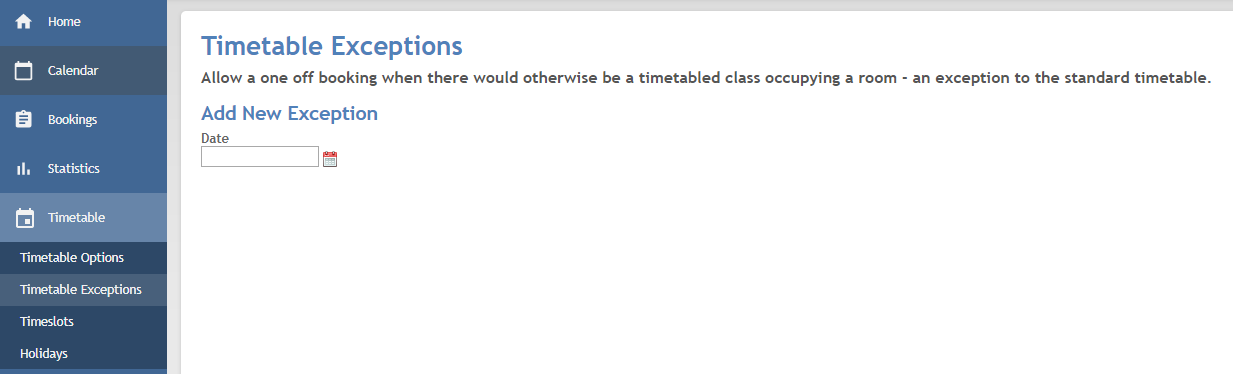 Once a date has been entered a Timeslot dropdown appears. Select the timeslot for the exception.
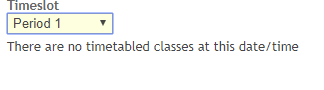
 If there are no timetabled entries on the slot you have selected you will receive a warning of this and be unable to continue.
 Once a timeslot has been entered a Room dropdown appears. Select the relevant room for the exception.
 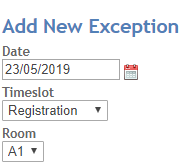 Click Add New Exception.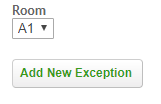
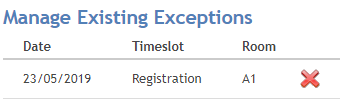
- The exception details will then show under Manage Existing Exceptions and when you look in the calendar you will see that timeslot is now empty and available to book.
Deleting a Timetable Exception
Follow the steps below if you want to remove an exception:
- From the Administrator Homepage select Timetable Exceptions.From the Administrator Homepage select Timetable > Timetable Exceptions.
- A list of all exceptions entered will appear under Manage Existing Exceptions. Click the red cross next to the exception you want to remove.
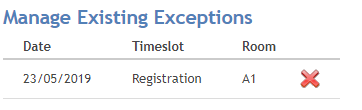 To confirm the deletion click Delete and the entry will removed and the timetable entry will show again on your Calendar. Otherwise cancel the deletion.
Was this article helpful?
That’s Great!
Thank you for your feedback
Sorry! We couldn't be helpful
Thank you for your feedback
Feedback sent
We appreciate your effort and will try to fix the article