Booking Reminders allow you to send reminder emails to users about their bookings on the system. These are sent in addition to any confirmation email they receive when a booking is first made.
Setting up Booking Reminders
The reminders are set up via Settings > System Settings > Booking Reminders.
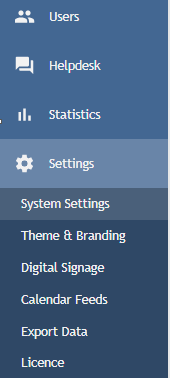
Click on Booking Reminders.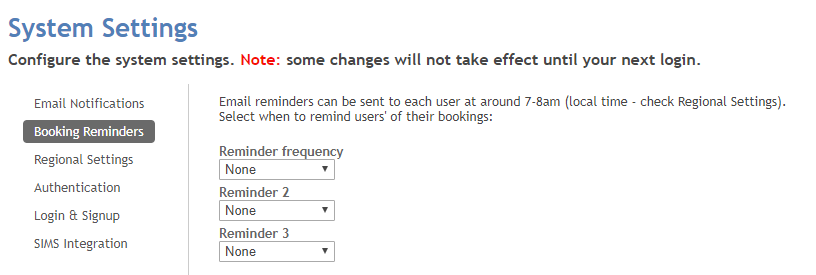
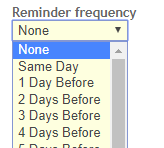
You can send send up to 3 reminder emails to users in advance of their booking. From the drop down under Reminder Frequency select when you would like an initial reminder email sent.
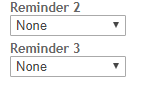
For additional reminders select the preferred options under Reminder 2 and Reminder 3.
All emails are sent at around 08:00 (local time, as set under Settings > System Settings > Regional Settings) on the selected day.
Click Update System Settings to save.

Was this article helpful?
That’s Great!
Thank you for your feedback
Sorry! We couldn't be helpful
Thank you for your feedback
Feedback sent
We appreciate your effort and will try to fix the article