Different VAT rates can be used to for specific users. This can help reduce your accounts team workload since they don't need to calculate the amount of VAT attributed to each user. In addition, changing VAT rates is easily done when editing a user.
How to set up a new VAT rate.
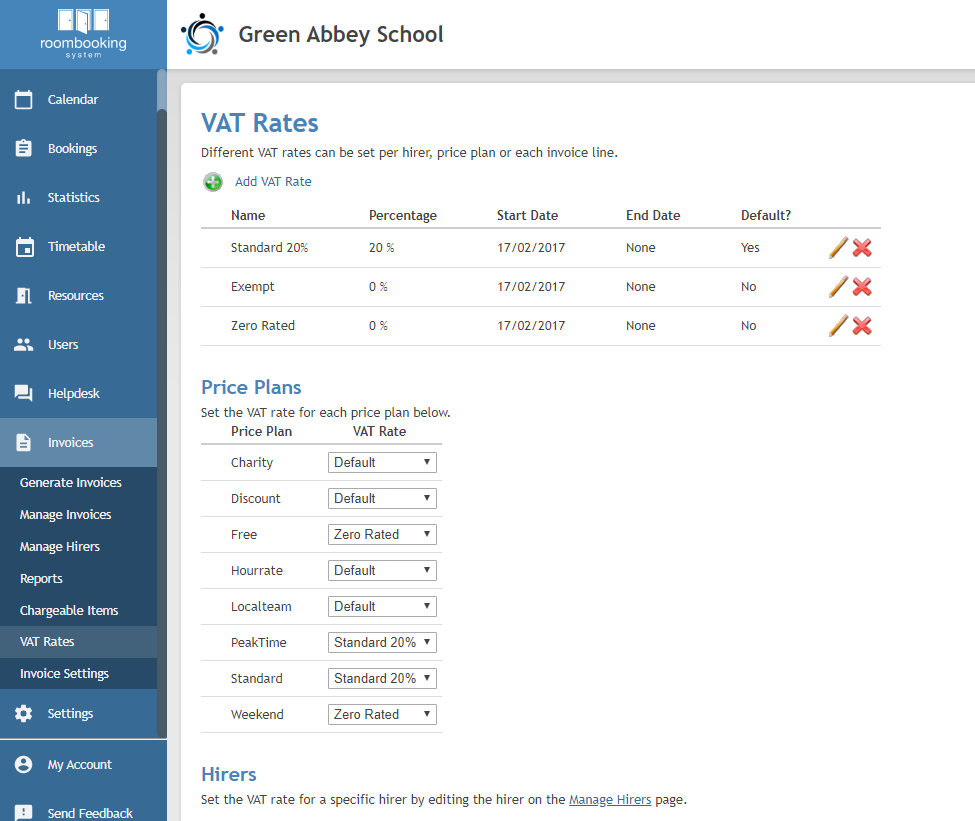
From the Administrator Panel go to the Invoices > Vat Rates > Add VAT Rates.
Enter a name for the rate under VAT Rate Name and the percentage applicable under VAT Rate. If this rate should be the default rate, tick Is the Default?
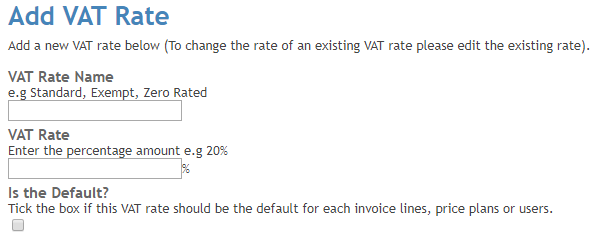
Click Add VAT Rate.
To ensure the correct vat rate is applied when invoicing, you can now assign the rate to either existing Price Plans you have set up, or to specific hirers:
Assigning a VAT rate to a Price Plan
You can assign the VAT rate to a price plan under the Price Plan section of the VAT Rate screen. If you need to set up a Price Plan please see How do I set up a price plan?
Select the relevant rate from the Vat Rate drop down next to the Price Plan. If you select default this will apply your default rate.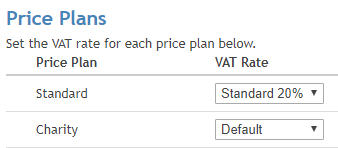
Assigning a VAT rate to a hirer
Edit the hirer record (via Invoices > Manage Hirers) and, at the foot of the page, set the VAT Rate to the one that should apply to that hirer's bookings.
Was this article helpful?
That’s Great!
Thank you for your feedback
Sorry! We couldn't be helpful
Thank you for your feedback
Feedback sent
We appreciate your effort and will try to fix the article